How to Install a Free SSL Certificate from SolidCP
Follow the instructions below to install a free SSL certificate on a website in SolidCP
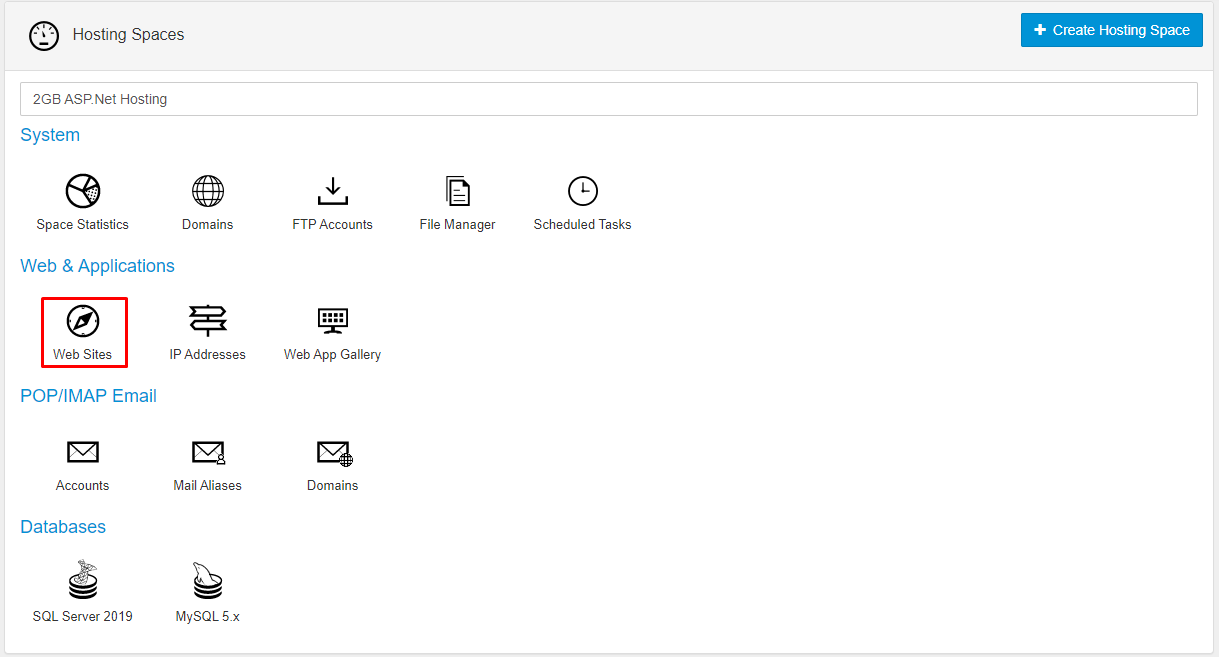
Step1: Log in to your SolidCP hosting panel and navigate to the "Websites" section.
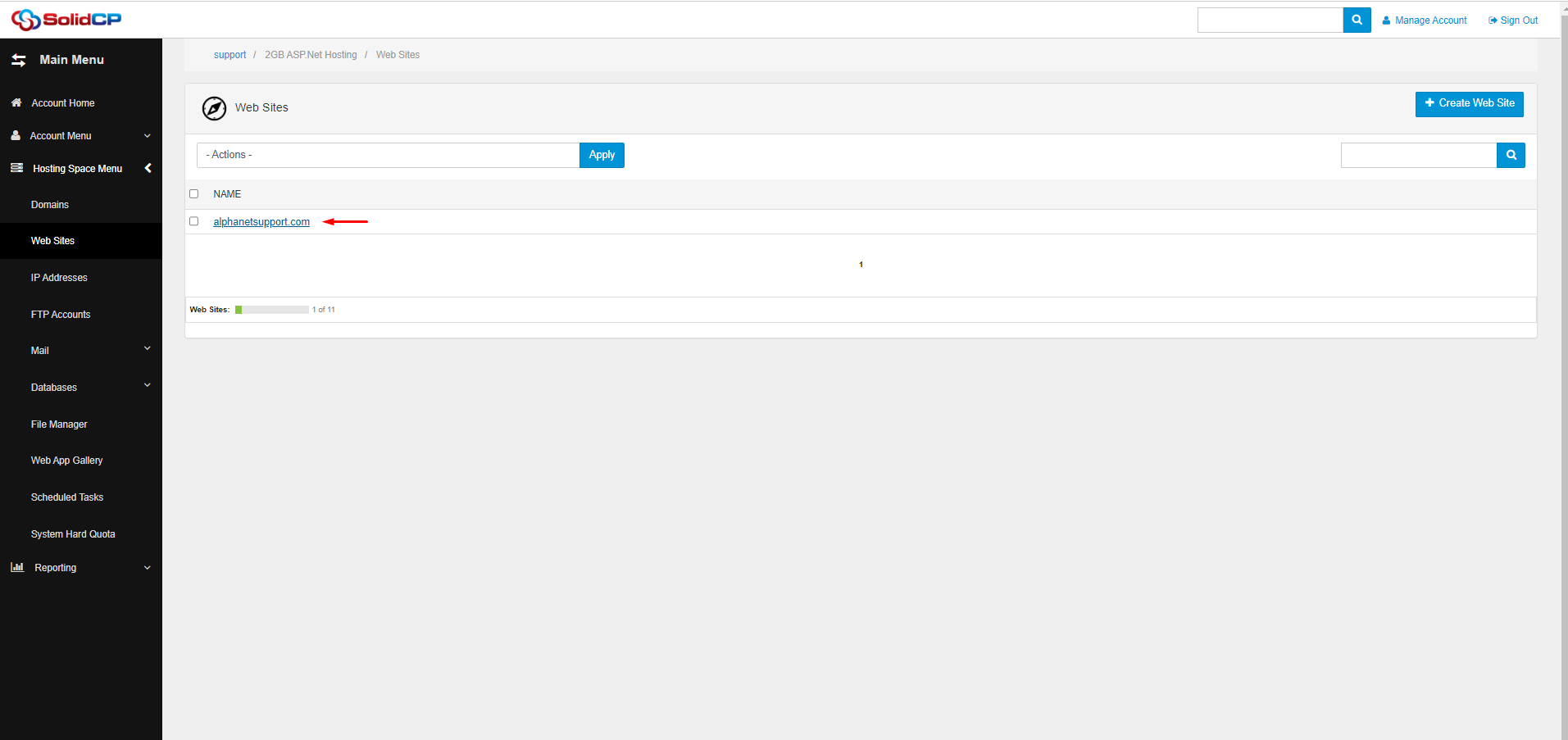
Step2: Click on the website for which you want to obtain the SSL certificate.
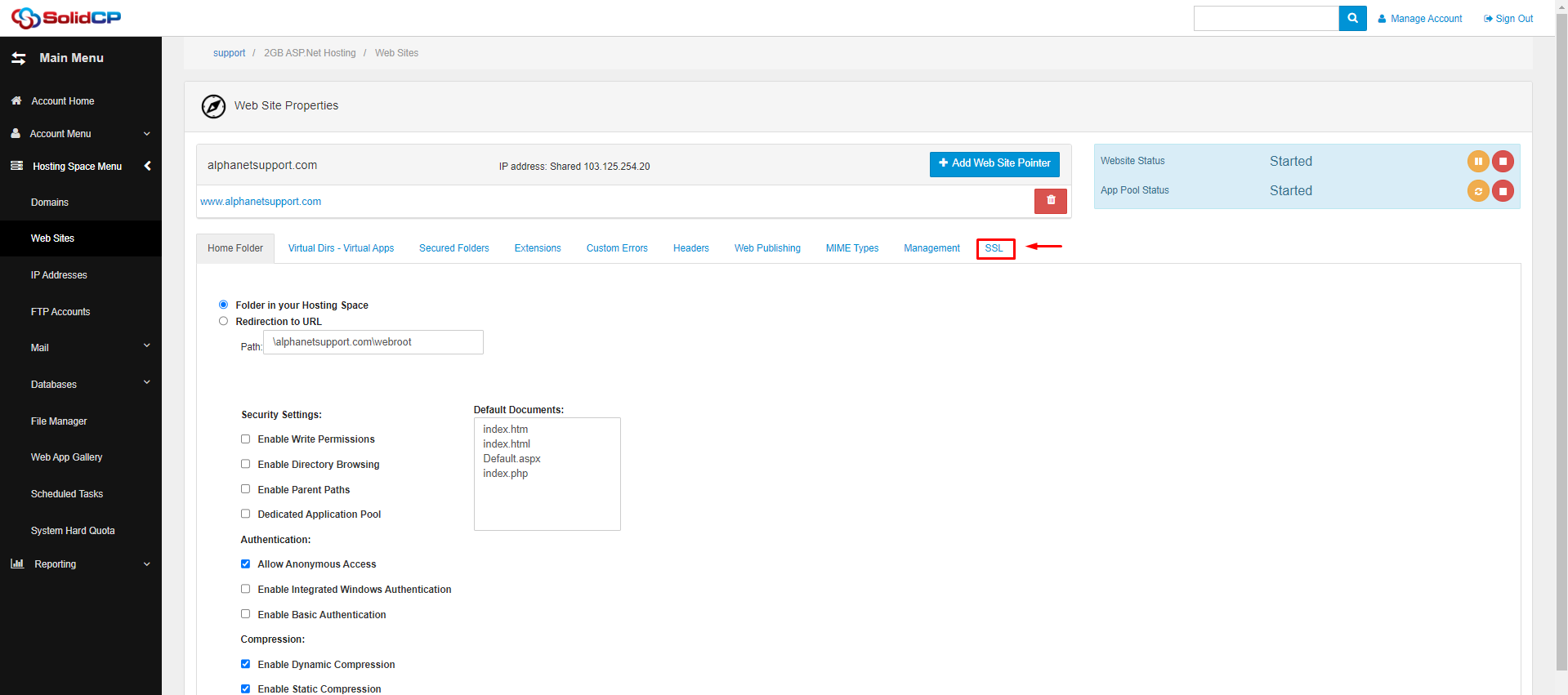
Step3: Select the "SSL" tab.
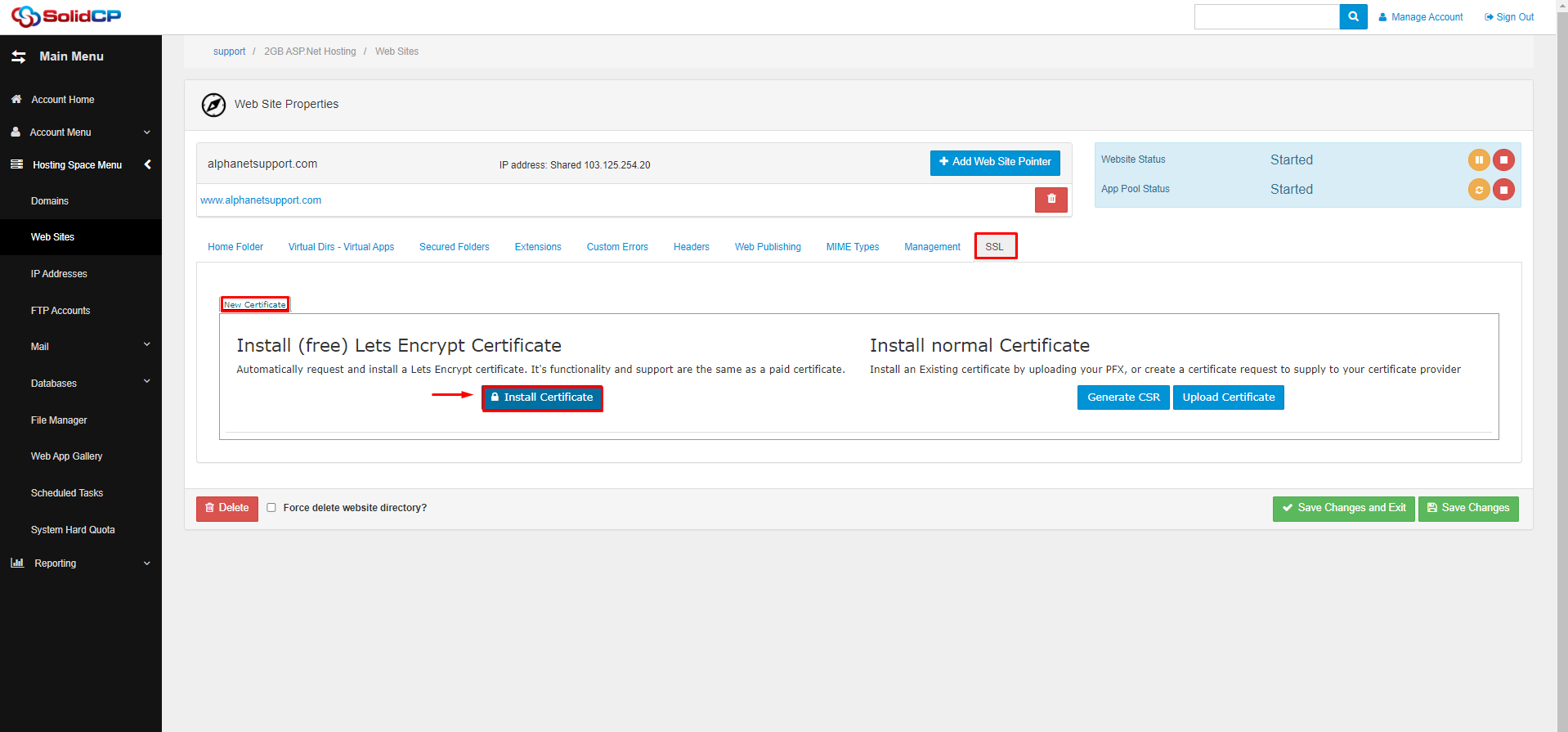
Step4: Under New Certificate - Install (Free) Let's Encrypt Certificate, select the "Install
Certificate" button.
Step5: Once the certificate is successfully installed and you can see the certificate
information, click on "Save changes and exit".
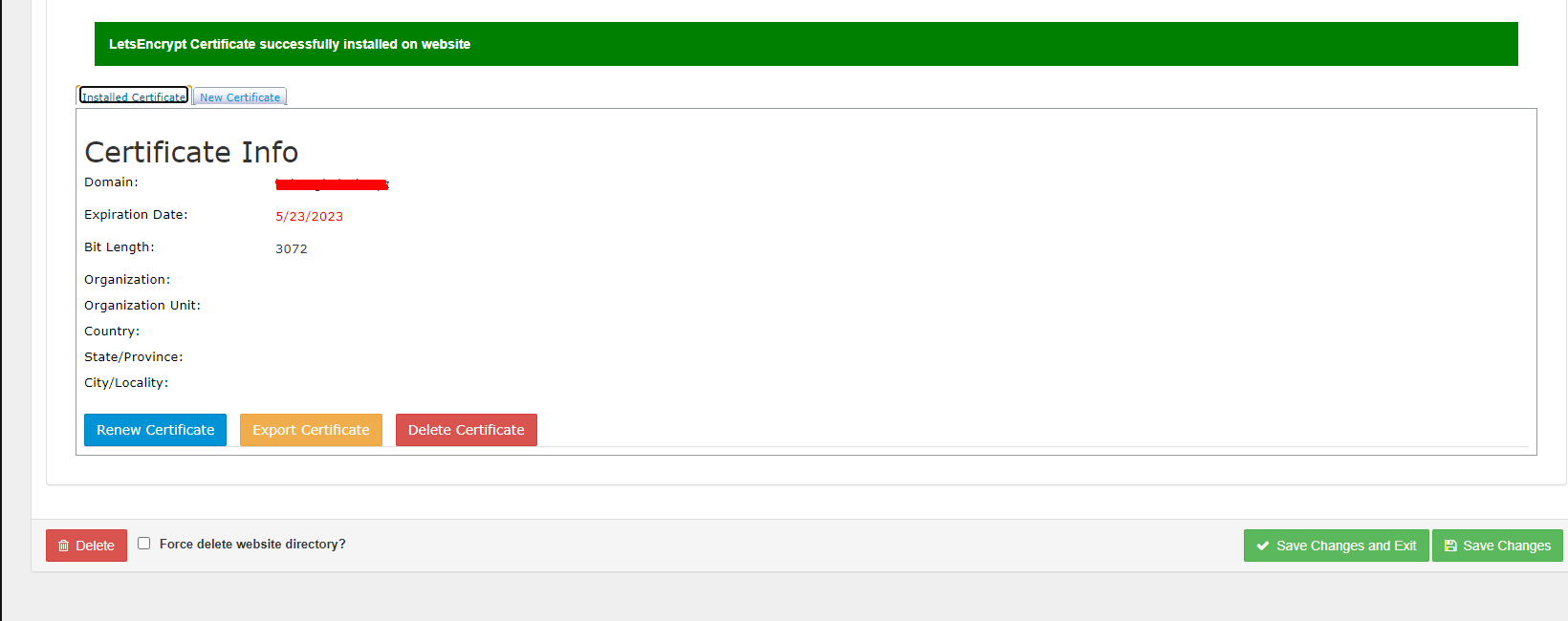
Then try browsing to your site at https://domain.com
