How to create and delete FTP account from SolidCP
You can easily create/delete an FTP account from the SolidCP panel by following few steps and following the below procedure to proceed.
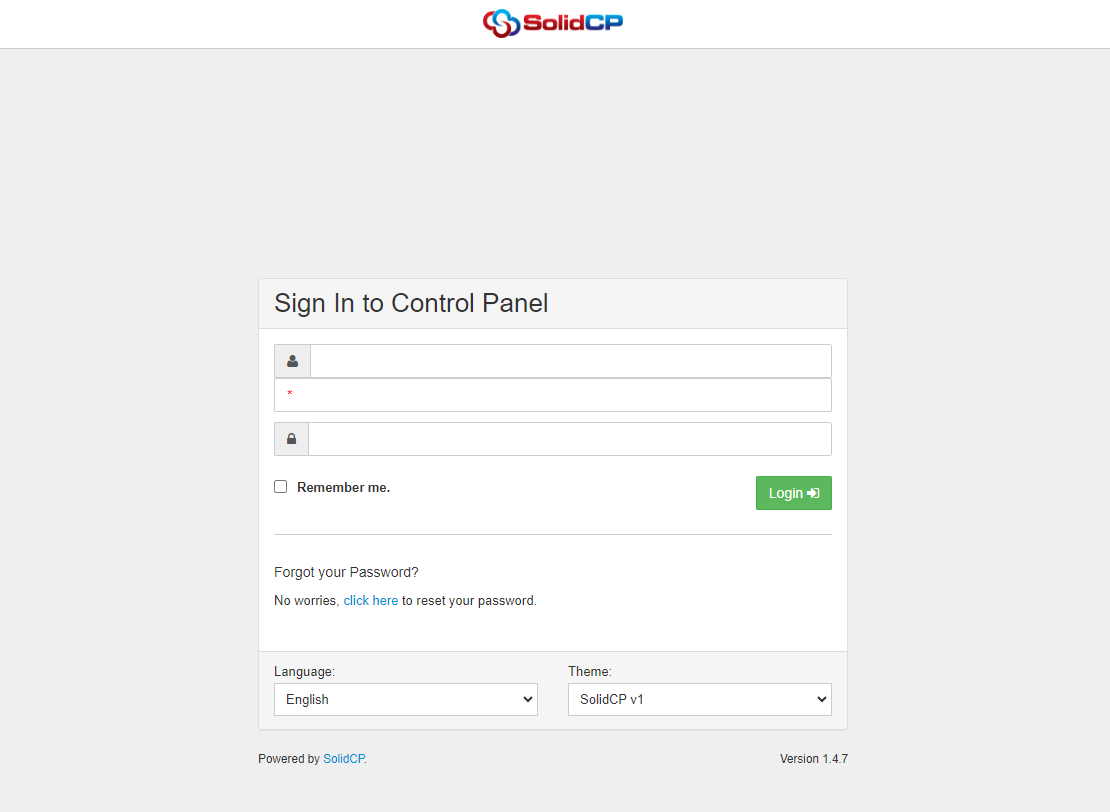
Step1: Enter the following information on the login details page below:
- Username:
Password:
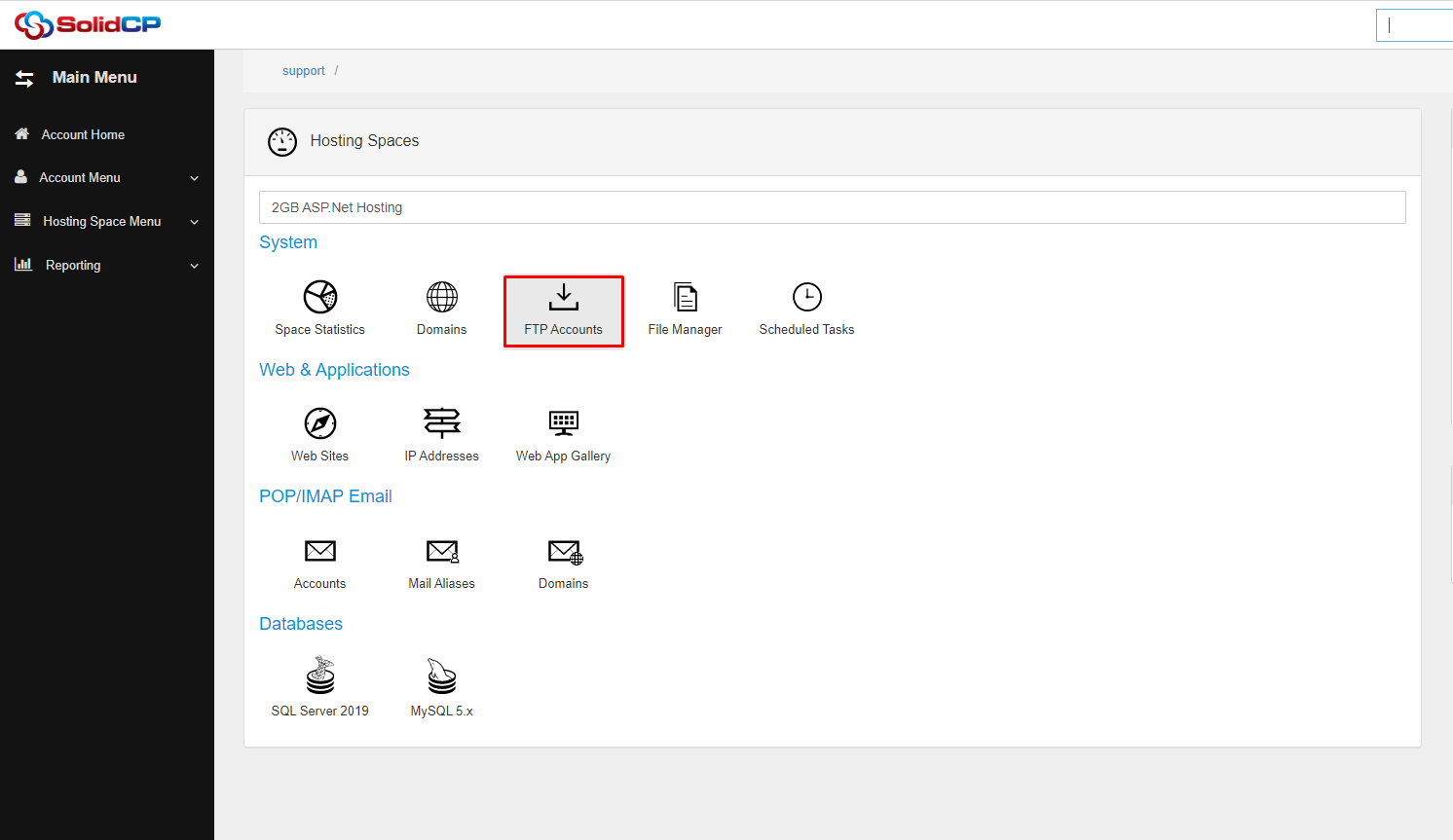
Step2: Under the System section and click on the FTP Accounts icon.
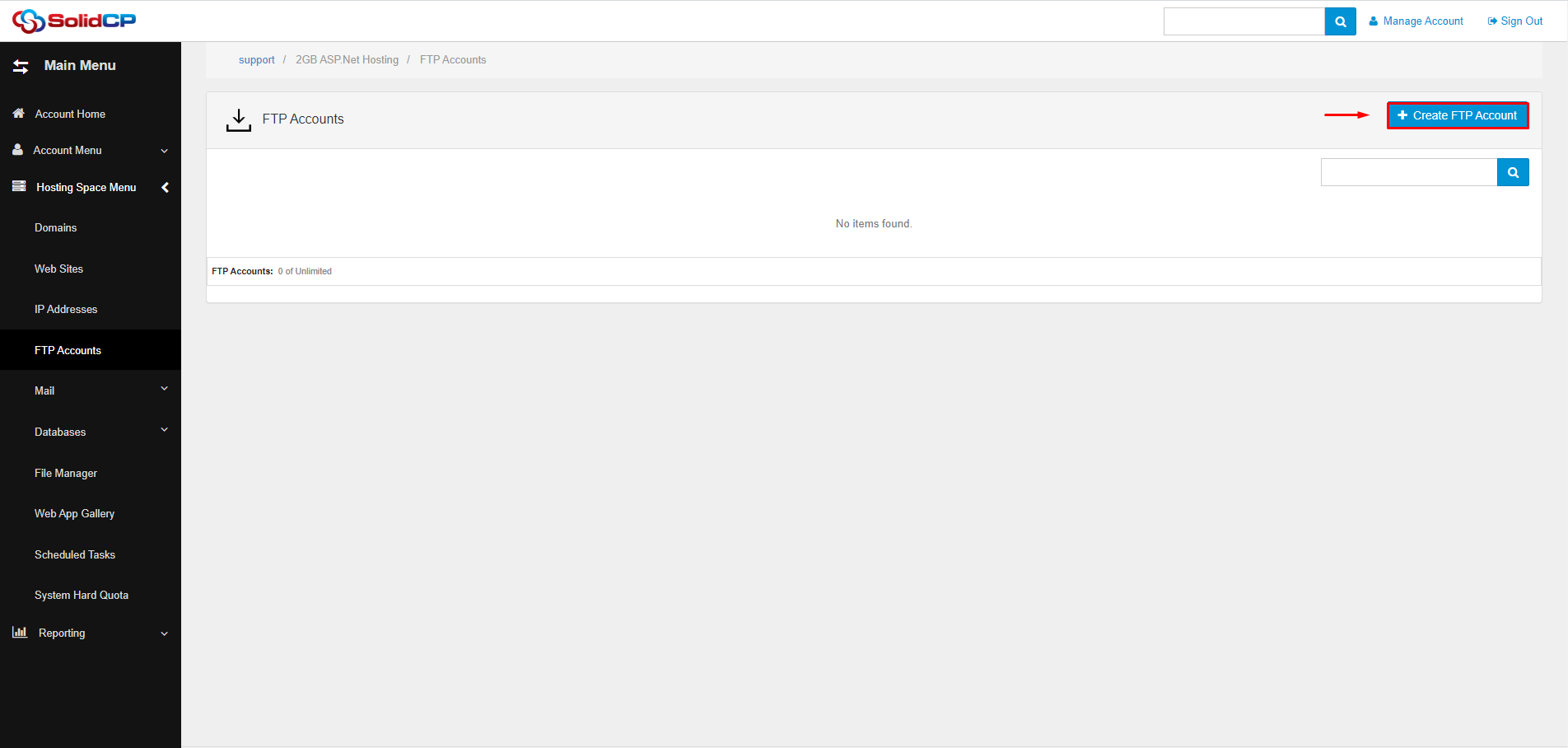
Step3: Click on the "Create FTP Account" option.
Step4: Click on the Home Folder field and navigate to the folder where we want to start the FTP account
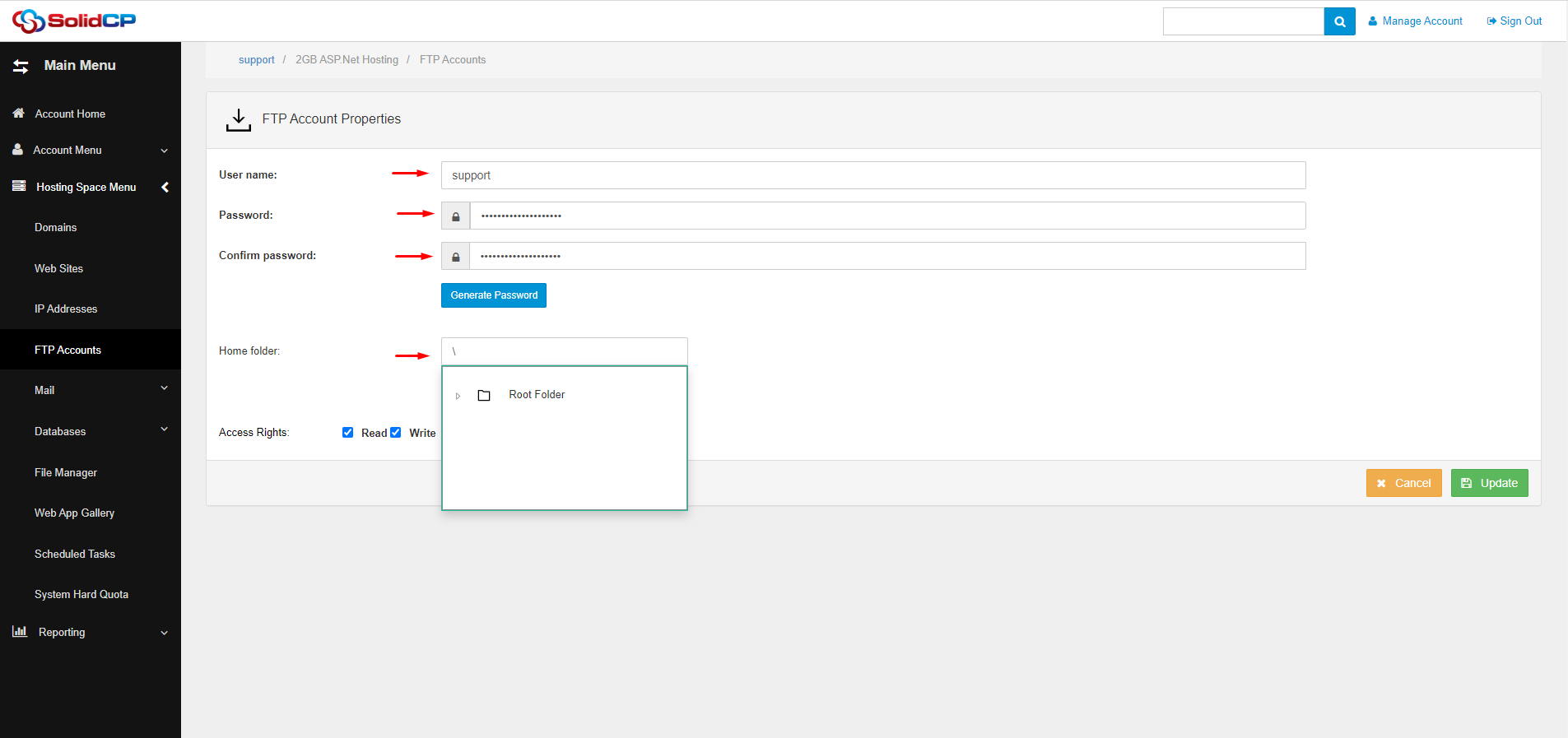
Step5: Set the permissions for the FTP account. You can choose Read, write, or Read/write permissions.
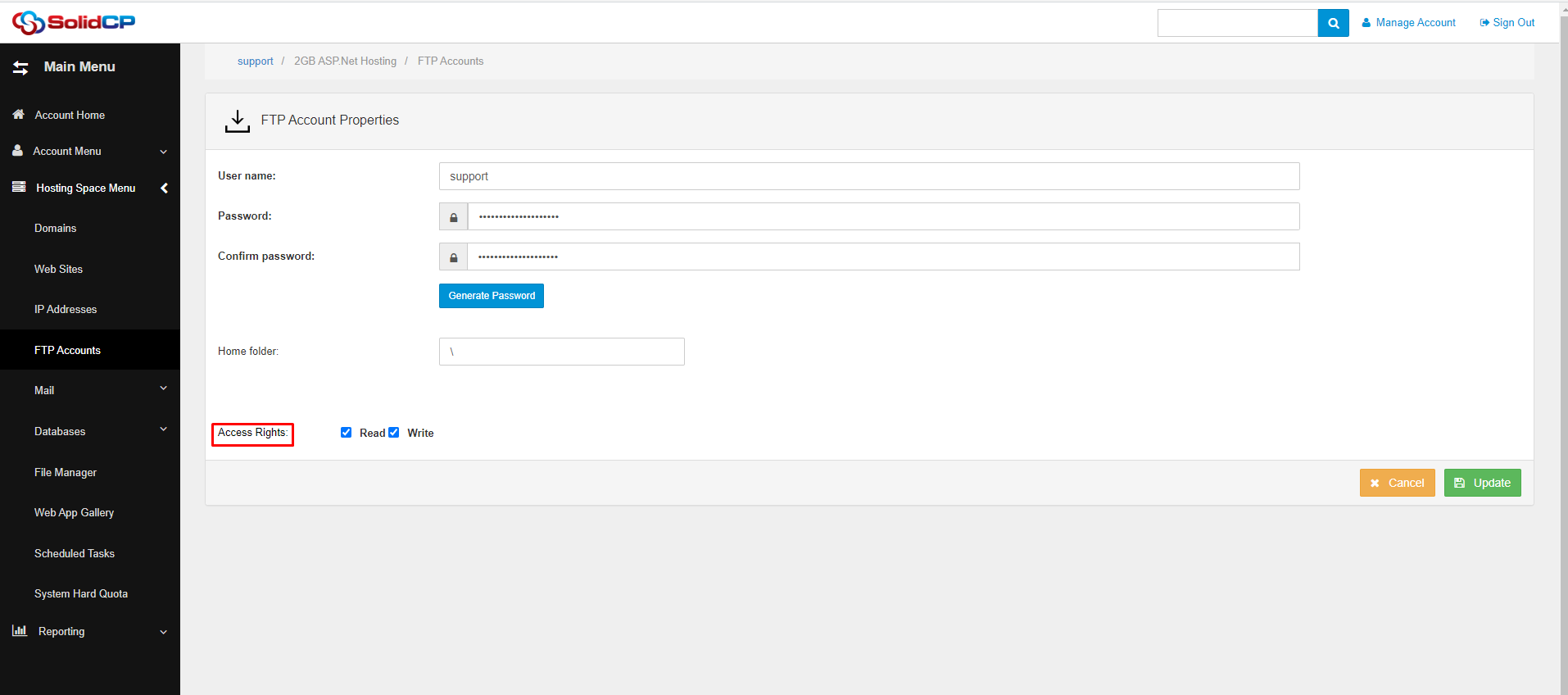
Step6: Click on the "Update" button to create the FTP account.
FTP Account Delete
Step1: Find the FTP account you want to delete and click on the Delete button next to it.
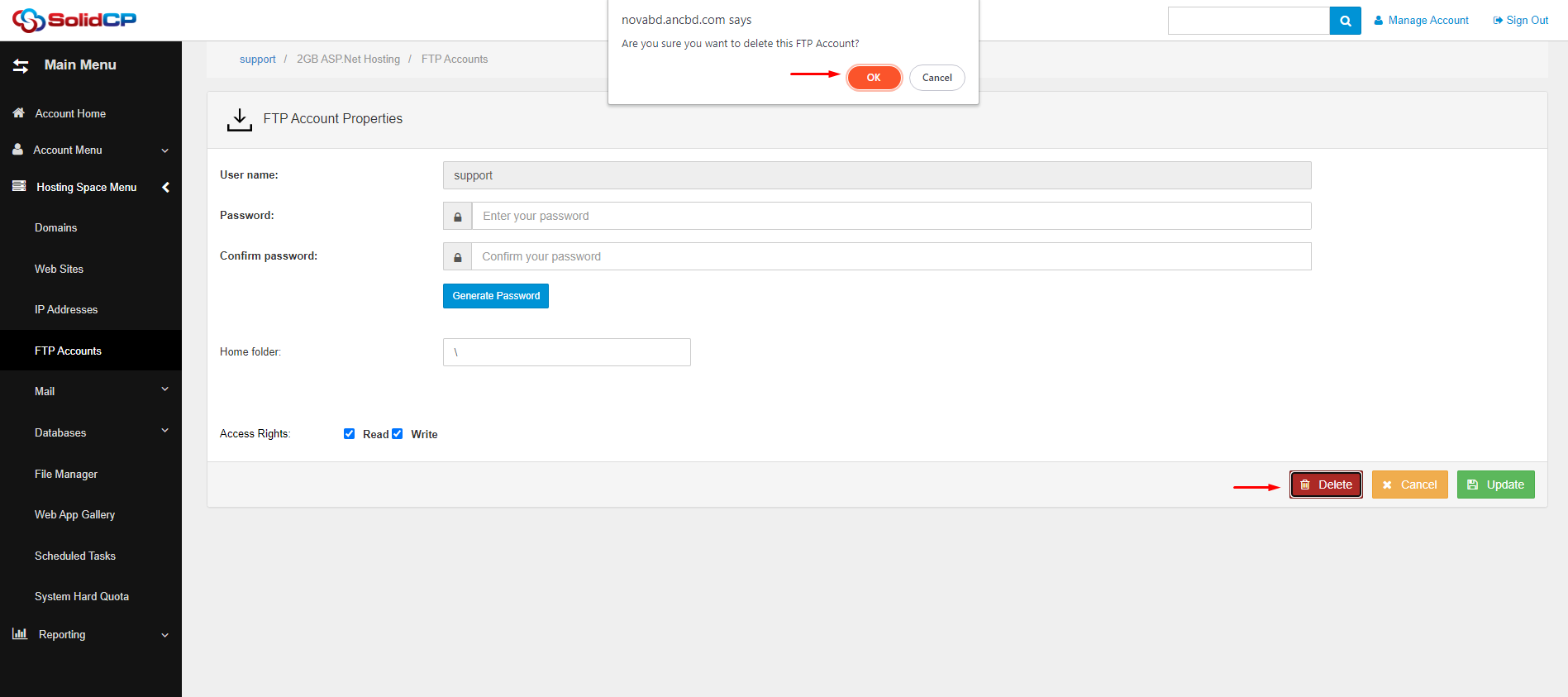
Step2: Confirm that you want to delete the FTP account by clicking on the OK button in the confirmation dialog box
