Please Follow The Below Instruction: go to Your cPanel > MultiPHP Manager.
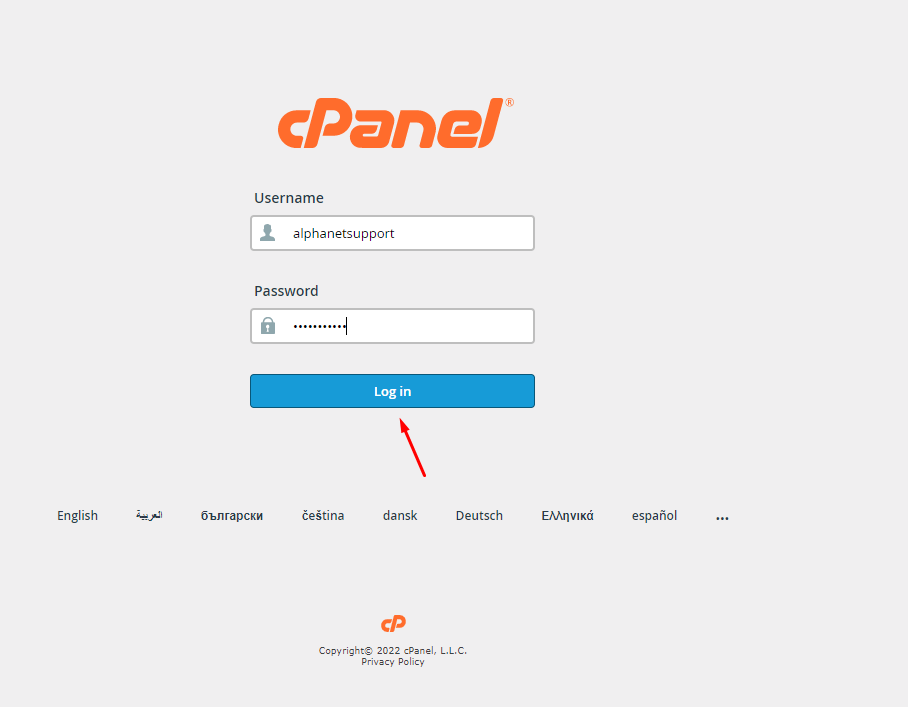
Step:1. login to your cPanel.
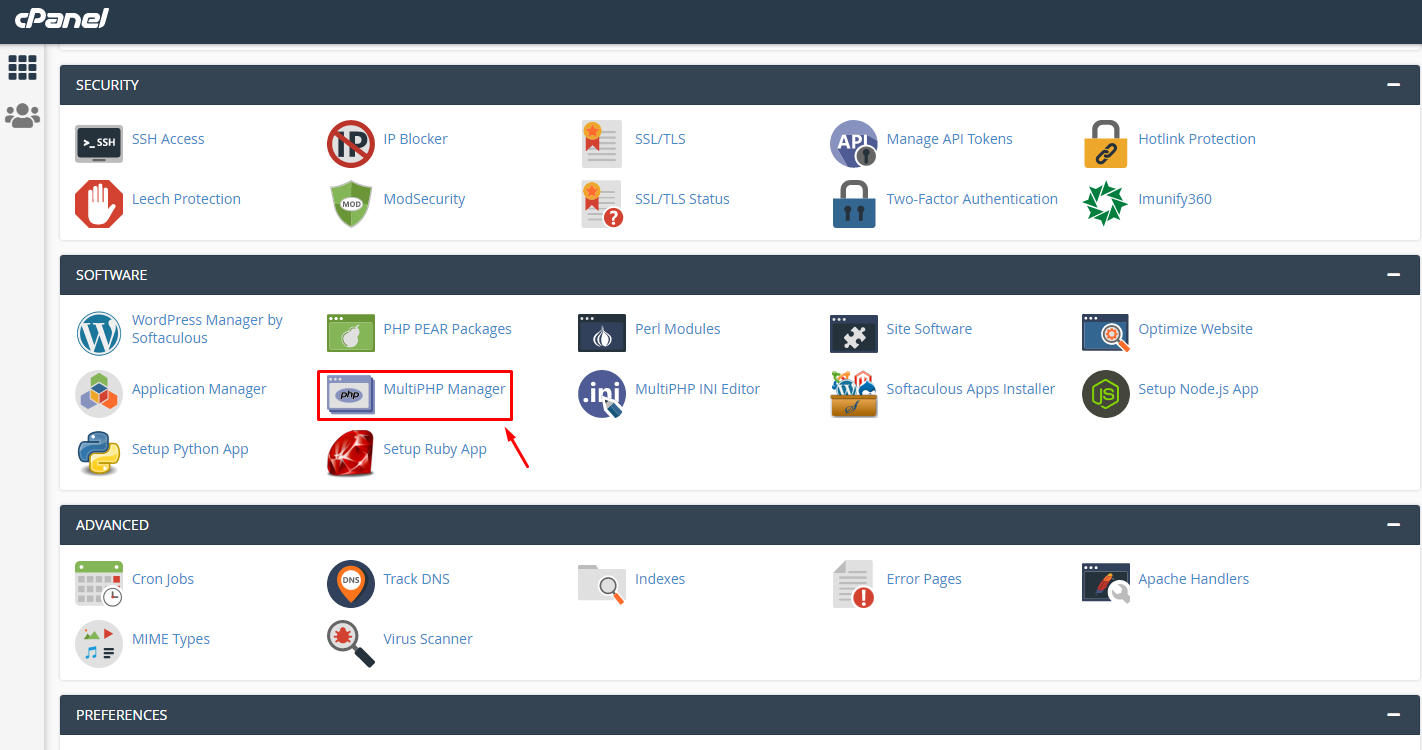
Step:2. Go to the Software section and select the MultiPHP Manager option.
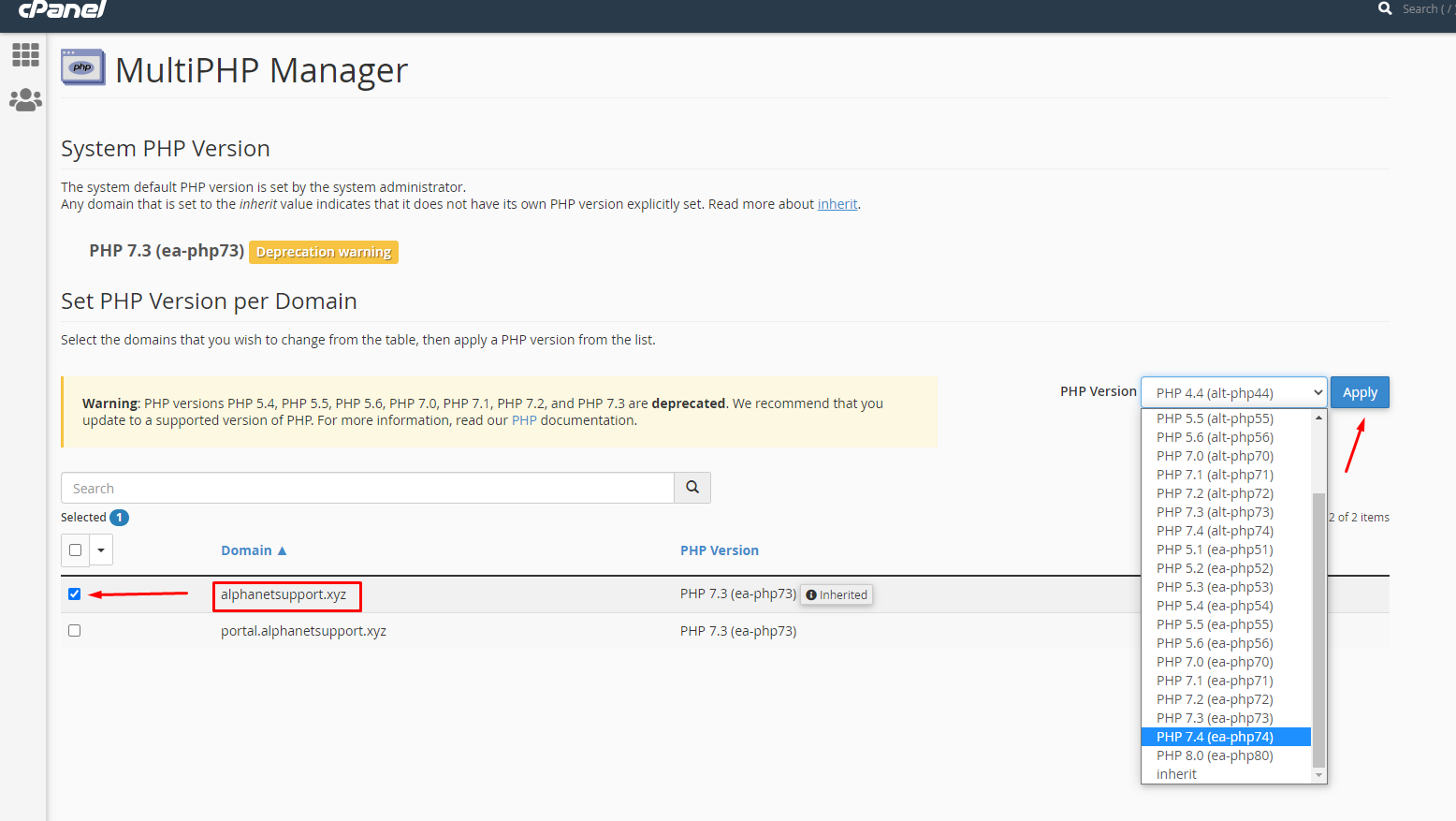
Step:3. Select the domain name of which PHP version you want to change.
Here, we have selected the domain name alphanetsupport.xyz as an example.
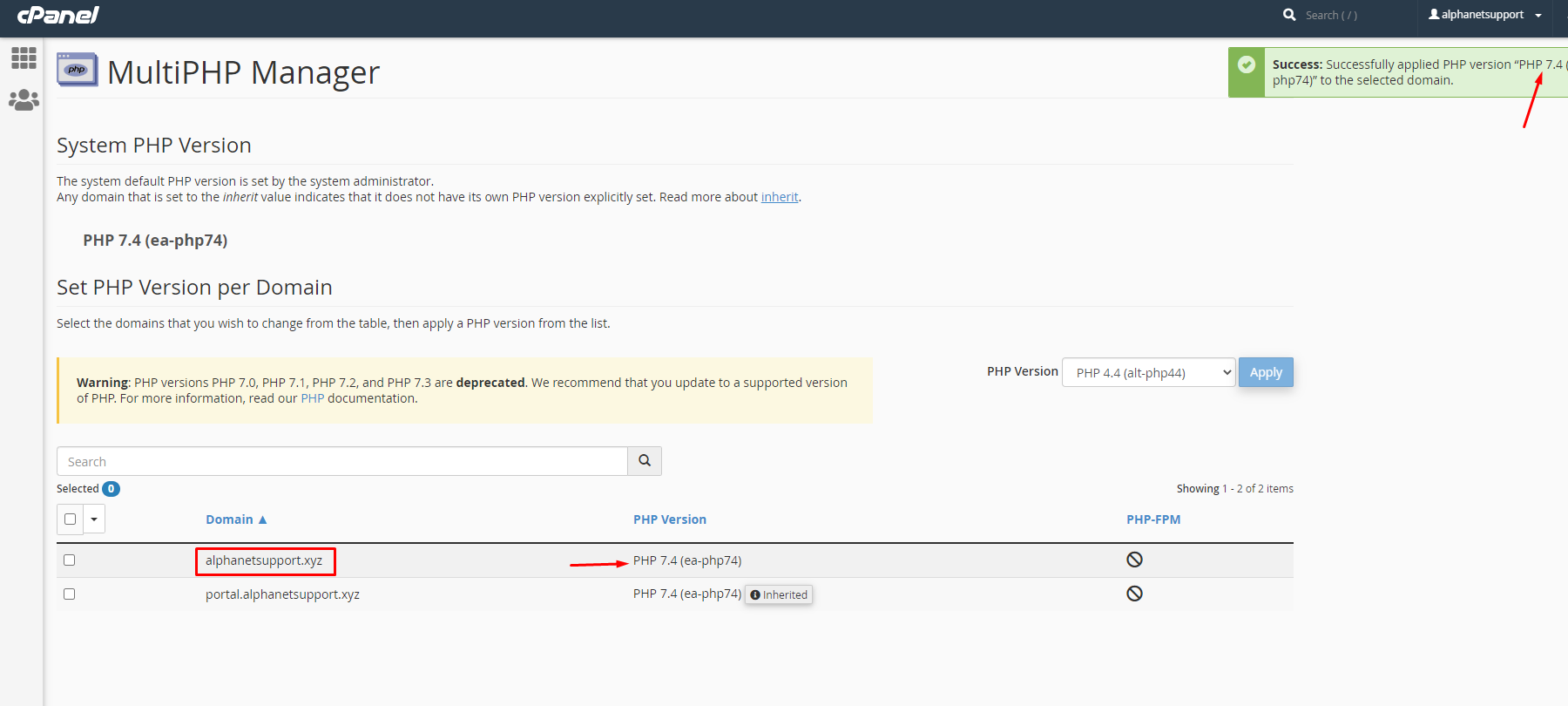
Congratulations !! Now you know how to PHP version Update.
