Please Follow The Below Instruction: go to Your cPanel >Backup
Step 1. Login to cPanel.
The first step is to login to your cPanel account, this can typically be accessed by going to https://domain.com:2083

Your cPanel Loginpage should look like this:
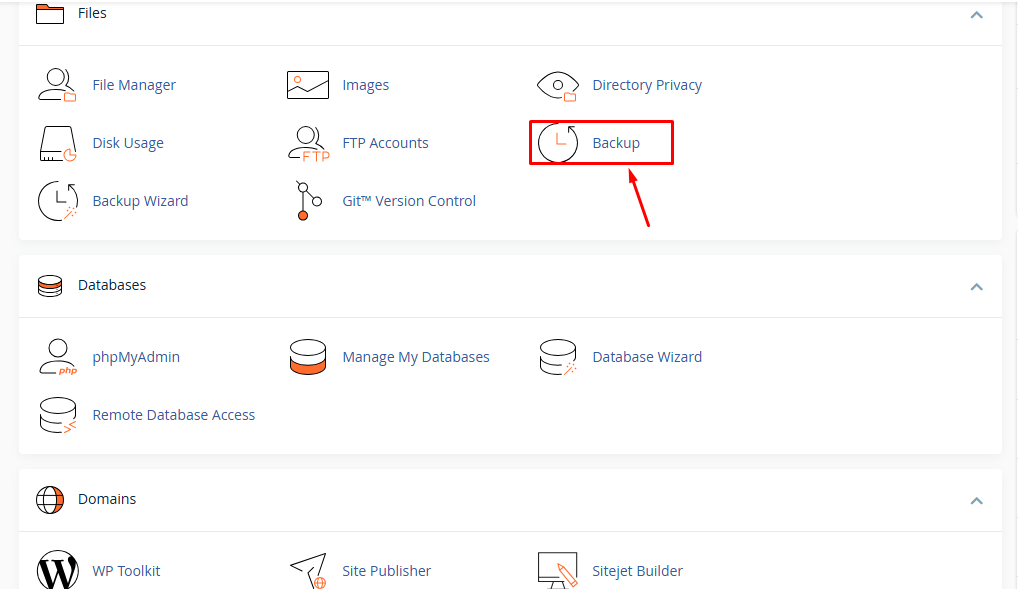
Step 2: Look into the Files section, then click on the Backup.
Step 3: Now you can backup the database by clicking on the database as per your requirement from "Download a Database Backup".
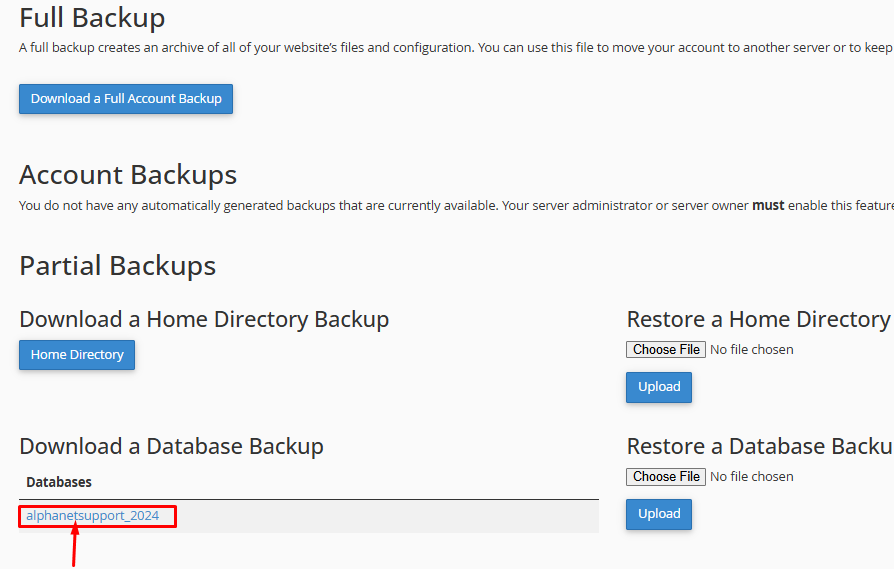
Congratulations !! Now you know how to Database backup from cPanel.
